 Afield
Start where the result changed
Search impressions, site visits and enquiries describe different parts of the customer journey. Afield can read connected Search Console and Google Analytics data for the property, dates and scope you specify, then help investigate the change.
A useful request is: “Compare the last two complete 28-day periods for this page. Show query groups, impressions, clicks and position, then explain which group accounts for the CTR change.”
Use the system that records the question
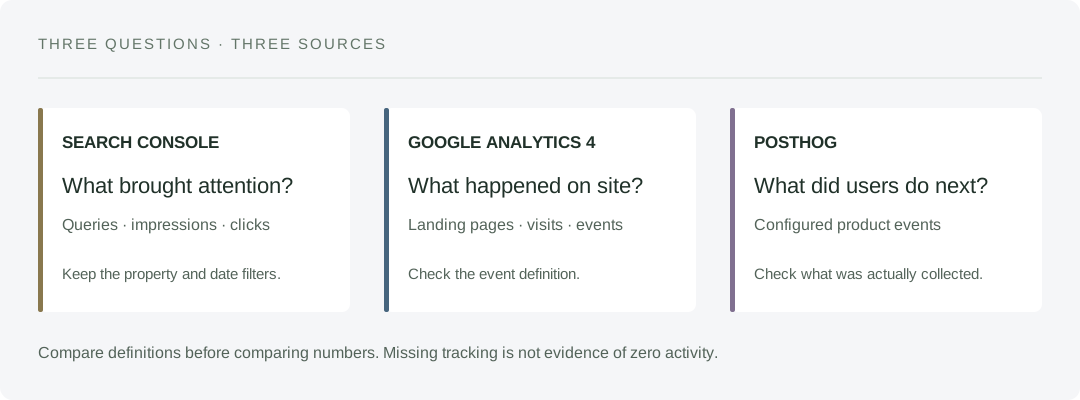
These connections answer different questions. Start with the source that actually records the action you want to understand, then use the other sources to investigate the next step.
| Connection | A useful request | What to keep in the answer |
|---|---|---|
| Google Search Console | Which queries account for this page's additional impressions? | Property, search type, dates, page filter and the query rows returned. |
| Google Analytics 4 | Which landing pages and acquisition sources brought visits during the same period? | Property, date range, channel definition and the selected event or key event. |
| PostHog | What recorded actions occur between starting a task and opening its result? | Project, exact event names, filters and whether the requested events were collected. |
Afield reads the connected evidence. An event name in a request does not create instrumentation, and access to analytics does not mean a recording exists for every session. If your project never recorded “result opened,” investigate tracking before reporting that nobody opened a result.
Use CRM and payment records for the questions they record
With an authorized HubSpot connection, Afield can read contacts, companies, deals, pipelines and available activities. A useful request is: “Read our connected HubSpot deals for this review, show their stage and last update, and identify which records still need a next-step decision.” Retain the filters and any returned-data limit. A CRM contact is a saved record, not proof that someone registered for your product.
Stripe can supply available payment records when your own connected account permits the required read. Check the recorded payment status, currency and period before interpreting a total. If the connection cannot return the requested records, that evidence is unavailable. A payment does not by itself identify which search query or campaign caused it.
Use your Integrations page for these sources. Keep the analysis read-only and join records only where an actual shared identifier supports the relationship.
Why a falling CTR does not always need a new title
The following is an arithmetic example, not Afield customer performance.
| Query group | Earlier: impressions / clicks | Later: impressions / clicks |
|---|---|---|
| Relevant supplier searches | 800 / 36 | 800 / 36 |
| Broader informational searches | 200 / 4 | 1,200 / 14 |
| Total | 1,000 / 40 · CTR 4% | 2,000 / 50 · CTR 2.5% |
Total CTR fell, but clicks increased and the original query group stayed unchanged. The first investigation is the new audience: what do those broader searches need, and does this page answer it? Rewriting a successful title for the original audience may be the wrong response.
Choose the next task from the breakdown
| If the evidence shows… | A useful follow-up is… |
|---|---|
| Impressions grow in unrelated queries | Review the page’s scope and internal links before expanding the topic. |
| Relevant queries rank poorly | Compare the answer and product evidence with the competing results. |
| Visits arrive but a form event disappears | Test the form and event collection before diagnosing the offer. |
| A campaign has drafts but no sends or published pages | Finish the execution step before measuring campaign response. |
Afield can turn the chosen investigation into a page review, content revision or measurement task. The available data determines how specific the conclusion can be.
Keep the report comparable
Use the same property, filters and complete date ranges. Ask for the rows behind the summary and record any campaign or tracking change. If an event was never collected, its history cannot be reconstructed from a zero in the report.
Run a results review · Connect Search Console · Work through a search-performance example
A report should end with a testable assignment
Suppose a fictional campaign has more Search Console clicks, stable GA4 visits to the intended page and fewer recorded form submissions. There are several possible explanations. A tracking change, a broken form and a weaker offer call for different work.
- Test the actual form once and check whether the expected event is recorded.
- Compare the affected page and device groups over complete periods, including the release date.
- If measurement works, inspect the arrival page and the promise made by the search result before rewriting the offer.
The resulting assignment could be: “On the mobile quotation page, reproduce the submission failure after attaching a drawing. Keep the error and affected browser, then prepare a repair.” That is actionable even before the marketing explanation is settled.
Work through a reporting mismatch · Connect GA4 · See all 19 Afield capabilities