 Afield
In this article
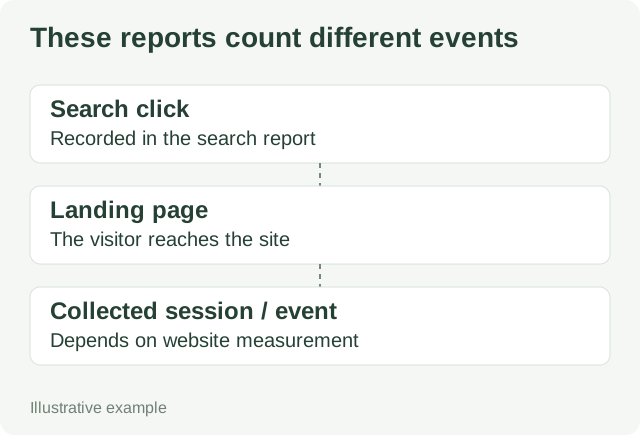
Search Console clicks and GA4 sessions count different things, so their totals will not necessarily match. First align the reports. Then investigate a sudden change in the relationship, especially one that starts with a site release.
Make the comparison reproducible
| Setting | Record in your comparison |
|---|---|
| Scope | The Search Console property and GA4 property/stream covering the same site. |
| Acquisition | Use Google organic sessions: session source google, session medium organic. |
| Dates | The same completed date range. Note each report’s time zone and any data delay. |
| Page | The exact Search Console page and the GA4 landing-page representation; inspect redirects and canonical grouping. |
| Filters | The same country/device selection; record any exclusions. |
Google’s comparison guide explains differences involving collection, consent, time zones and canonical URLs. Search Console records search activity; GA4 depends on the site’s measurement implementation. These are reasons to inspect, not proof of the cause on your site.
Work through a release-day change
Demo dataset: two pages over equal seven-day periods, with the filters above aligned. These numbers are constructed, not Afield traffic.
| Page | Before: clicks / sessions | After: clicks / sessions | Release change |
|---|---|---|---|
| Import article | 120 / 96 | 118 / 31 | Moved to a new article template. |
| Pricing page | 80 / 64 | 82 / 65 | No template change. |
The article’s measured sessions changed sharply while its search clicks and the comparison page stayed similar. Start with the new template’s measurement rather than concluding that search demand collapsed.
- Open the affected page and the unchanged page through their normal entry paths.
- Use the site’s configured debugging tools to check whether expected analytics events arrive from both templates.
- Repeat with the relevant consent choices. Check that the same intended stream receives the events.
- Inspect any redirect or cross-domain step between the landing page and the form.
- Record the confirmed cause, repair and release date. If no cause is confirmed, leave the diagnosis open.
A useful report after the investigation
Demo incident note: The new article template omitted the analytics tag. The pricing template still sent events. The tag was restored and events were observed from the article in the debugging tool. Annotate the affected reporting period as incomplete collection; do not report the apparent sessions recovery as newly acquired traffic.
Do not subtract 31 sessions from 118 clicks and call the difference “87 lost customers.” The numbers do not identify individual people or explain their actions. Use query and snippet analysis for the search question, and a specific on-page investigation for a failed form or navigation task.