 Afield
In this article
Someone publishes a LinkedIn post. Someone else copies its link into an email. At the end of the week, the report credits LinkedIn for both. The tracking works exactly as configured; the configuration no longer describes what happened.
This is a useful place to start fixing attribution. Before choosing a more sophisticated model, make sure each distributed link identifies the work that actually carried it.
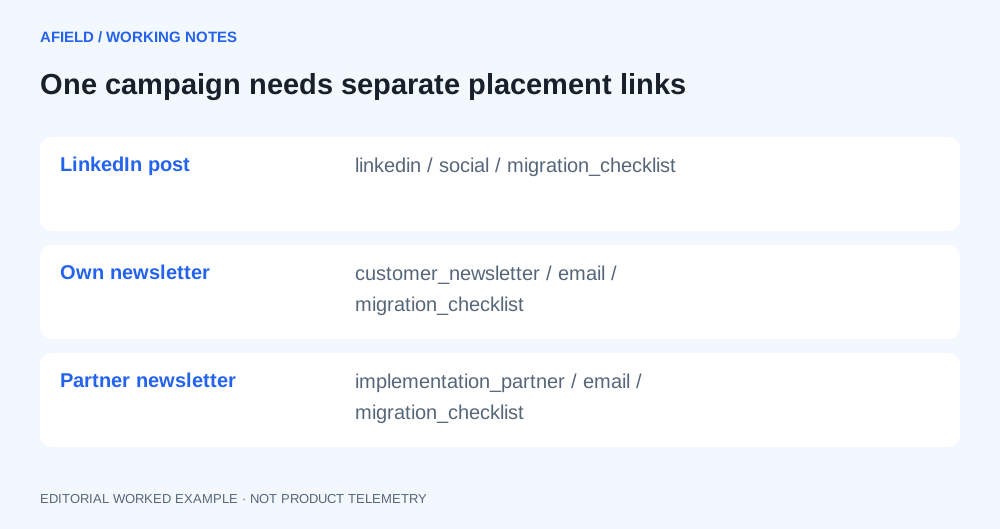
Give the campaign one name and each placement its own link
For this worked example, a fictional onboarding software company has published a migration checklist. It will distribute it through a founder’s LinkedIn post, an email newsletter and a partner newsletter. The campaign is the checklist launch; the three placements are separate.
| Placement | Source | Medium | Campaign | Content |
|---|---|---|---|---|
| Founder post | social | migration_checklist | founder_post | |
| Own newsletter | customer_newsletter | migration_checklist | main_link | |
| Partner newsletter | implementation_partner | migration_checklist | sponsor_slot |
Google documents source, medium and campaign parameters for identifying referred traffic, and content for distinguishing creatives. Parameter values are case-sensitive. Use one spelling rather than alternating between LinkedIn and linkedin. Google’s campaign URL builder.
The links that actually leave the building
https://example.com/checklist?utm_source=linkedin&utm_medium=social&utm_campaign=migration_checklist&utm_content=founder_post
https://example.com/checklist?utm_source=customer_newsletter&utm_medium=email&utm_campaign=migration_checklist&utm_content=main_link
https://example.com/checklist?utm_source=implementation_partner&utm_medium=email&utm_campaign=migration_checklist&utm_content=sponsor_slot
These URLs are examples, not links to a live campaign. Save the exact URL alongside the published post or sent email. A naming convention hidden in a strategy document will not help someone copying yesterday’s link five minutes before publication.
Before launch, open each final link through any redirect or shortener used in production. Check that the destination loads, the parameters survive and the form still works. Keep test visits separate when reviewing the campaign.
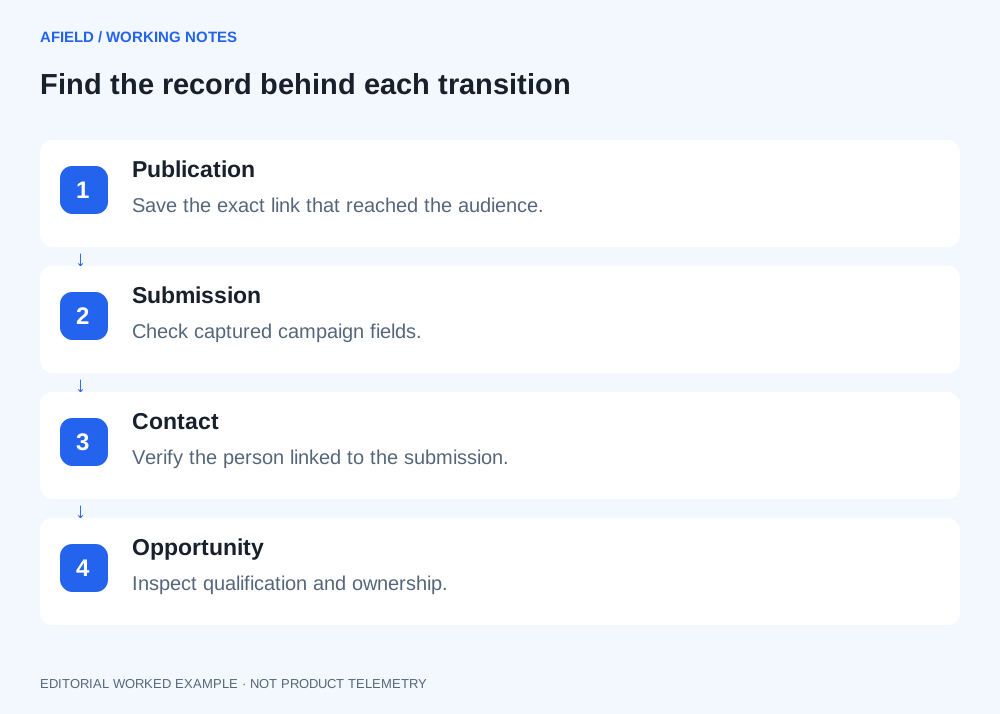
Reconcile one enquiry all the way back
Suppose the CRM contains an enquiry labelled “migration checklist.” That label alone does not tell you which placement generated it. Look for the recorded campaign fields, the submitted page and the enquiry timestamp. Then compare them with the distribution log.
If the contact says a colleague forwarded the newsletter, retain that information too. A tagged session and a person’s explanation can describe different parts of the same journey. Do not discard one simply to make the report cleaner.
| What you have | What you can conclude |
|---|---|
| A session with a newsletter campaign tag | The visit arrived with that tag. |
| A form record retaining the same campaign fields | The submitted record can be associated with the tagged visit, subject to your implementation. |
| A qualified opportunity linked to that contact | The campaign has an observed path to pipeline. |
| More pipeline after publication | Timing alone does not establish that this campaign caused the increase. |
Keep a distribution log alongside the naming rules
A spreadsheet with one row per placement is enough for a small campaign. Include the planned URL, the actual published URL, the publication time, the owner and the destination. The published link is important: an approved draft does not prove that the correct URL reached the audience.
In the fictional checklist launch, the founder copies the LinkedIn URL into the customer newsletter. When the campaign is reviewed, both sets of visits carry the same source. The repair is to change future email links and annotate the affected period. Renaming the report cannot reconstruct where every past visit originated.
Keep a record of the mistake without pretending to recover unavailable detail. “Email placement reused the LinkedIn tag between these dates” is a useful explanation for mixed results. “LinkedIn drove all these visits” would overstate what the data can support.