 Afield
In this article
For a page offering a sample review, a button click, an accepted request and a relevant sales inquiry are three different outcomes. Define each one before publishing a conversion rate.
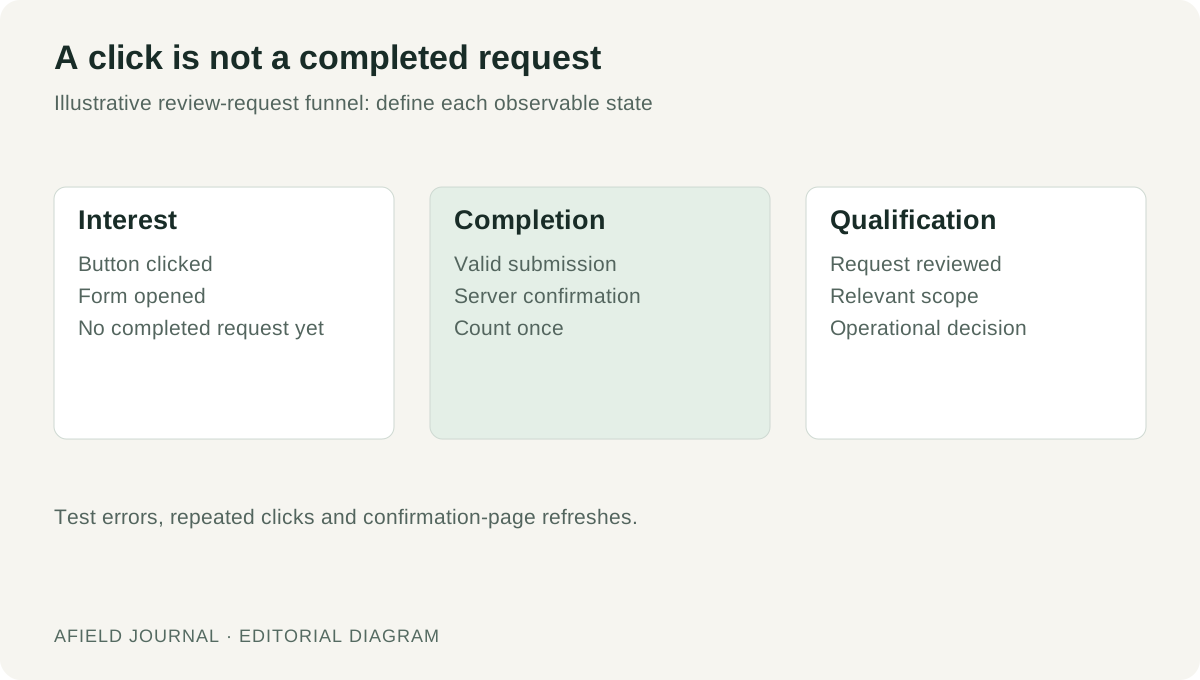
Write the event contract
Demo: an article invites readers to submit a sample file for review. This is a proposed measurement contract, not a claim about Afield’s analytics implementation.
| Item | Definition |
|---|---|
| Event name | sample_review_submitted |
| Trigger | The application accepts and stores a valid request, then confirms success. |
| Exclude | Opening the form, clicking Submit, invalid input and a failed request. |
| Count | One accepted request per request identifier; repeat delivery of that identifier must not create a second business record. |
| Context | Offer name, originating article and form version. Keep the submitted file and personal contact details out of the analytics payload. |
| Qualification | A separate sales-review field: relevant, irrelevant or awaiting review. |
Implementing duplicate handling is part of the application’s measurement work; assigning an event name does not provide it. In GA4, a business-important event can be marked as a key event. That setting still depends on the underlying event being sent correctly.
Test the boundary, including failed attempts
| Test action | Business records expected | Submission events expected |
|---|---|---|
| Submit with a required field missing | 0 | 0 |
| Submit valid data; storage succeeds | 1 | 1 |
| Click twice while that request is pending | 1 for the same request | 1 for the same request |
| Refresh the confirmation page | No additional record | No additional submission |
| Request fails before acceptance | 0 | 0 |
| Response is lost after acceptance | Read the stored request before retrying | Reconcile by request identifier; do not infer failure from the timeout |
Check both the application record and the collected event. A thank-you screen alone cannot tell you whether the event fired twice.
Calculate only the rates your data supports
The demo campaign records 40 offer clicks, 28 form opens and 10 accepted requests. Sales has reviewed all 10 and classed 6 as relevant.
- Accepted requests per offer click: 10 ÷ 40 = 25%.
- Relevant share of reviewed requests: 6 ÷ 10 = 60%.
- Visitor-to-request rate: unknown; this dataset contains no visitor denominator.
If sales has reviewed only 6 requests, report “4 awaiting review” separately instead of counting them as irrelevant. If form opens look healthy but accepted requests fall, inspect the specific form failure. For Google Search clicks versus site sessions, use the report reconciliation checklist.