 Afield
In this article
Product images are based on retained interface captures; selected screenshots are AI-enhanced for clarity. Diagrams are labeled illustrations.
A topic title is a starting point, not a writing brief. “Ask founders about AI marketing” can produce a generic post unless the writer also knows which founders, what you want to learn and why your product belongs in the conversation.
This walkthrough uses an Afield topic about connected business context. The intended readers are early-stage B2B founders; the purpose is to learn which data sources would make AI marketing output more useful.
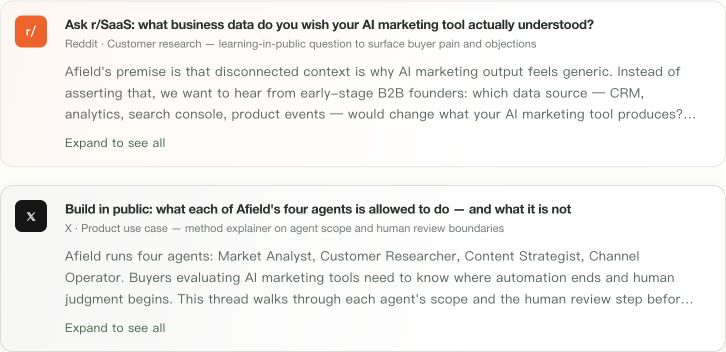 Click image for full resolution Step 1 — On Home, scroll to What to post today. Click the card titled “Ask r/SaaS: what business data do you wish your AI marketing tool actually understood?” Expand to see all reveals the longer topic explanation.
1. Read the topic before choosing it
On Home, open “What to post today.” Look at the explanation under the title, not just the platform badge. The example topic asks what business data founders wish an AI marketing tool understood: CRM, analytics, Search Console or product events.
The brief should make the distinction clear: Afield has a hypothesis about disconnected context, and this post is intended to test it through conversation. It is not evidence that every founder shares the problem.
2. Choose the draft language deliberately
Select the topic to open the preparation card. Confirm the destination, purpose and language. If you use Chinese in chat but intend to post to an English-language community, choose English for the outward-facing draft.
 Click image for full resolution Step 2 — In the preparation strip, set Draft language to English. Generate draft is the green button on the right. Selecting a card only prepares the task; it does not publish a post.
Press Generate draft once. The writing task should enter its own conversation with the background attached, so it does not become a continuation of an unrelated email review.
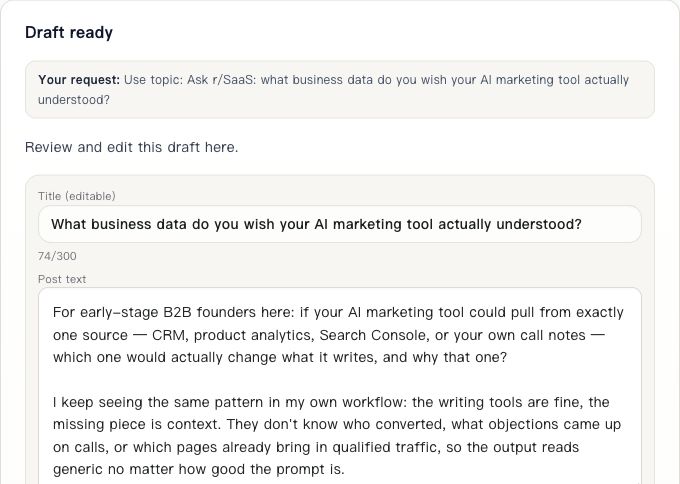 Click image for full resolution Step 3 — The existing completed draft has separate Title (editable) and Post text fields. Review both. This is a real saved draft; it was not regenerated for the screenshots.
3. Inspect the draft as a community member would
The resulting example asks founders which source would change what their tool writes and why. It discusses missing context about conversions, objections and qualified traffic, then discloses that the author is building in this space.
That disclosure matters. A discussion intended as customer research should not pretend to be an independent recommendation. The question should make sense even if the reader never visits your website.
Check three things in the draft:
| Check | What to look for |
|---|---|
| Audience | A recognizable reader, such as early-stage B2B founders |
| Question | Something the reader can answer from experience |
| Claims | A hypothesis stays a hypothesis; anecdotes stay attributed |
A complete post to edit
The following is an illustrative editorial draft, separate from the saved screenshot.
Title: Which customer detail do you keep adding back to AI-written marketing?
I’m building Afield, an AI marketing workspace, and trying to understand where a useful brief falls short.
Suppose your writing tool already knows your website and product. It still writes a post for the wrong buyer, misses a recurring sales objection or suggests a topic that attracts the wrong visitors.
Which missing detail would you add first: the objections in sales conversations, the pages that lead to qualified enquiries, or something else?
If you have an example, what did the tool write, and what one detail changed your edit? Please leave out customer names or private records. I’m interested in the correction you made, not a list of tools.
4. Edit the idea, not just the wording
You can change the title and body in the draft card. If the generated post asks about four data sources but you only want to learn about CRM, narrow the question. If the opening assumes the reader has used a specific tool, remove that assumption.
Keep this draft and its background. Focus on one question: what customer
context is missing from your current AI writing workflow? Use English,
disclose that I am building in this space, and remove unsupported claims.
Revise the existing draft; do not research another batch of topics.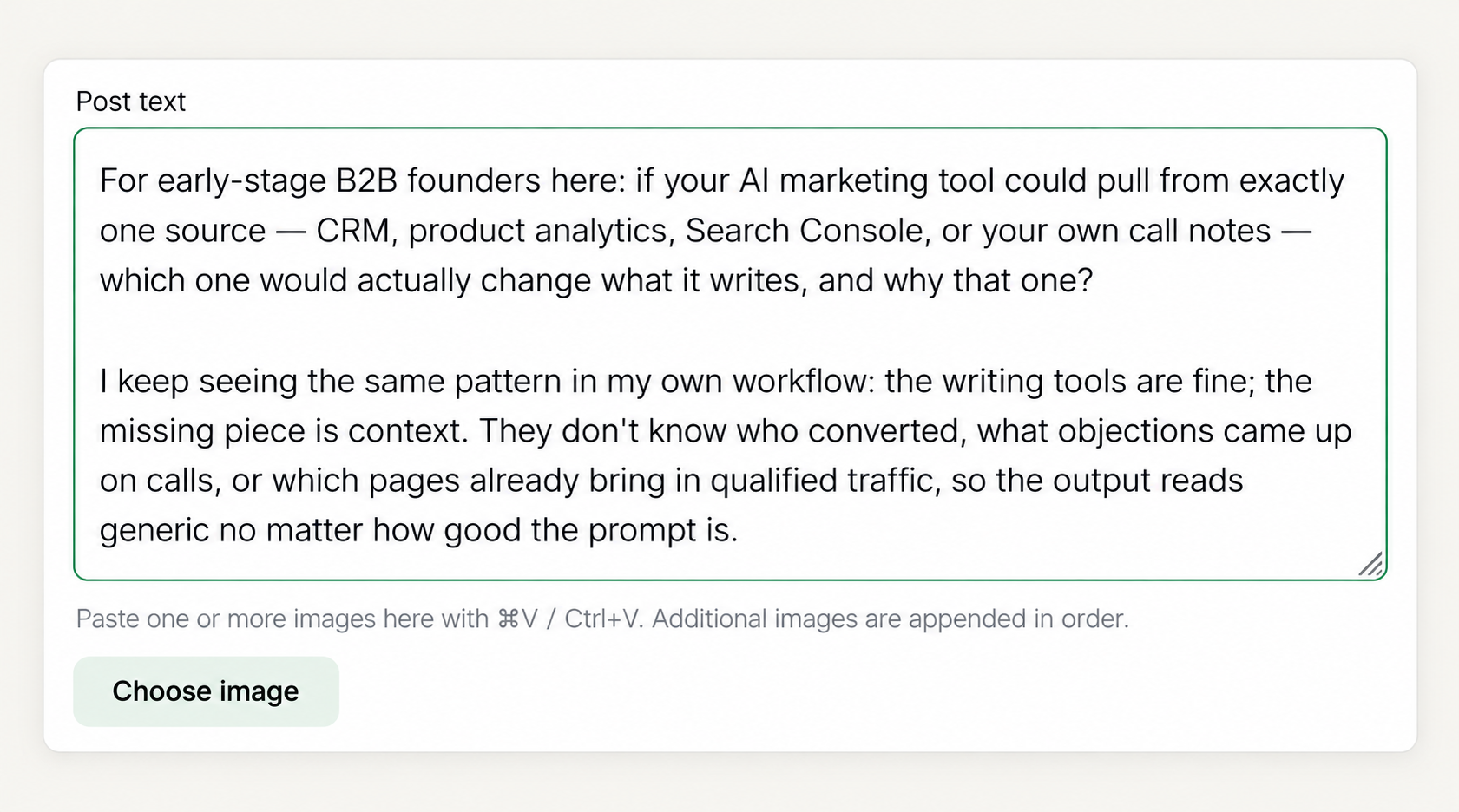 Click image for full resolution Step 4 — Click inside Post text to revise it. Choose image sits immediately below the body; the paste hint explains how to append images. Add only media you have permission to use.
5. Review the destination before the final action
The saved r/SaaS draft demonstrates the editing interface. Before publishing, read the destination community’s current rules, including any requirements for research posts, promotion and AI-assisted content. Keep the disclosure about building Afield, and consider whether an existing discussion is a more relevant place to participate. The topic suggestion does not establish that this particular draft is eligible for publication.
When you return to this task later, reopen the saved draft rather than generating another version blindly. That gives revisions a stable starting point and helps you learn from the actual conversation.
Try it: choose one Home topic, inspect its background, generate a draft and edit one substantive point before considering publication.