 Afield
In this article
Product images are based on retained interface captures; selected screenshots are AI-enhanced for clarity. Diagrams are labeled illustrations.
Your first campaign should leave you with a few companies you understand and messages you would be comfortable sending. A long list is less useful if you cannot explain why the companies belong on it.
This walkthrough starts with one offer: Afield helps small B2B teams connect customer research, content preparation and individual outreach. The exercise ends at a reviewed draft. Sending comes after you have approved the recipient and the promise in the message.
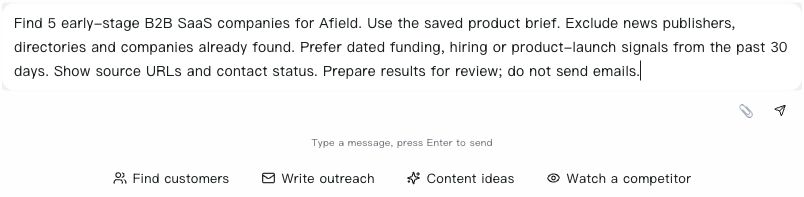 Click image for full resolution Step 1 — Open New chat, paste a bounded request into the message box, then review it before using Send. This screenshot shows an unsubmitted five-company example; the saved results below are from a separate retained search.
1. Give the search a buyer, an offer and boundaries
Open Afield and provide your website with a short explanation of the business. A website is useful evidence, but your explicit targeting choices matter too. Tell Afield who buys, which markets you can serve and what you want to exclude.
My product is Afield, an AI marketing workspace for small B2B teams.
Find five B2B software companies where researching buyers and preparing
marketing content could be relevant. Use public sources.
Exclude agencies, news publishers and consumer-only apps.
For each company, include its official website, buyer audience,
one supported business fact and the source. Do not draft or send yet.
Review the audience interpretation before continuing. If the result describes consumer creators while you sell to B2B teams, correct the brief now. Adding more companies will not fix a targeting error.
2. Read the company evidence before choosing a contact
A useful record answers three questions: what does this company sell, who does it serve, and why could your offer fit? Open the official website behind the answer. Do not treat a search snippet as a substitute for reading the relevant passage.
Use a simple review table:
| Check | Keep | Reconsider |
|---|---|---|
| Entity | The company's own product or service | The publication reporting on the company |
| Audience | A specific buyer segment | “Any business” or an unsupported industry label |
| Evidence | A linked passage supporting the observation | A conclusion with no inspectable source |
| Timing | The actual date of a relevant event | An undated page described as a new launch |
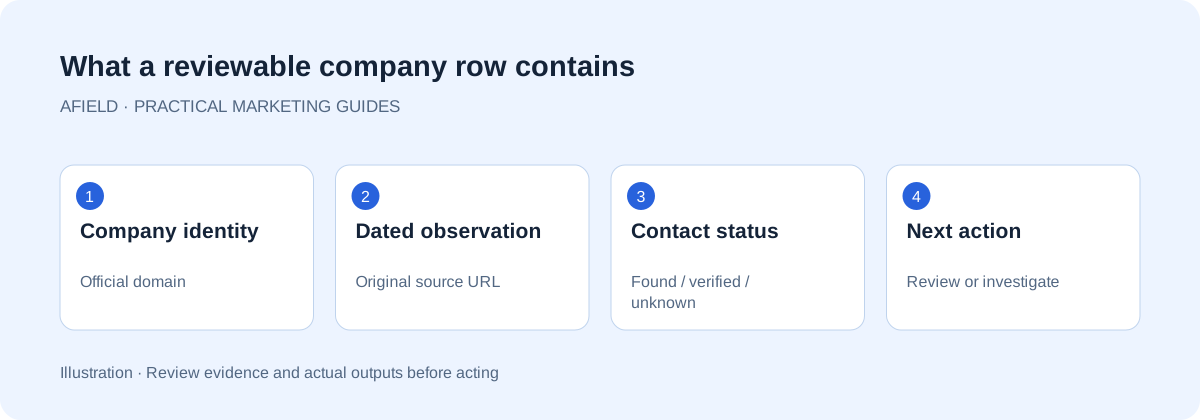 Click image for full resolution Illustration: business fit and a dated event are separate pieces of evidence.
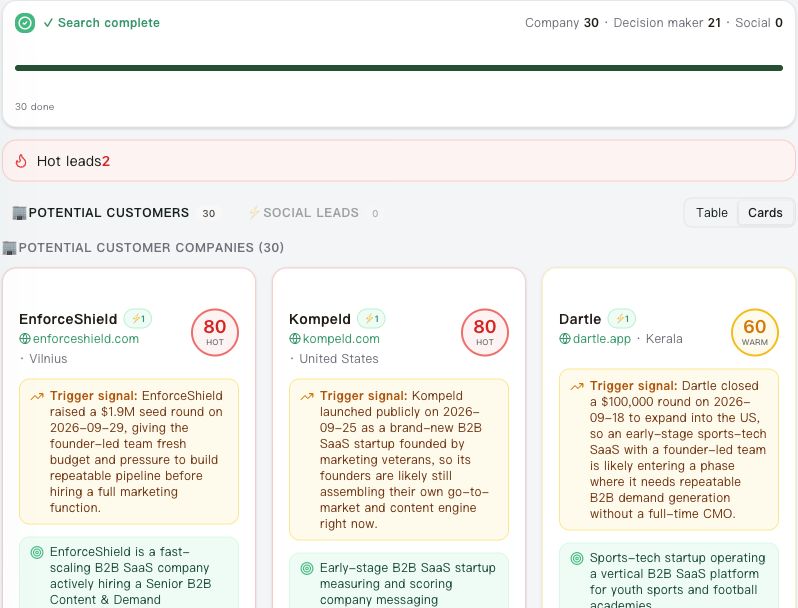 Click image for full resolution Step 2 — Use Cards at the top right of the results panel. The saved example shows EnforceShield, Kompeld and Dartle. Read the observation and date; the score and inferred need are not proof of buying intent.
3. Continue from the saved result
Choose one company and ask a follow-up that explicitly refers to the existing list:
Use the company results already in this chat. Choose the strongest match,
explain the choice with its sources and identify what remains uncertain.
Do not run a new company search.
You should be able to trace the answer back to the same company and sources. If a new list appears, stop and clarify the task before writing.
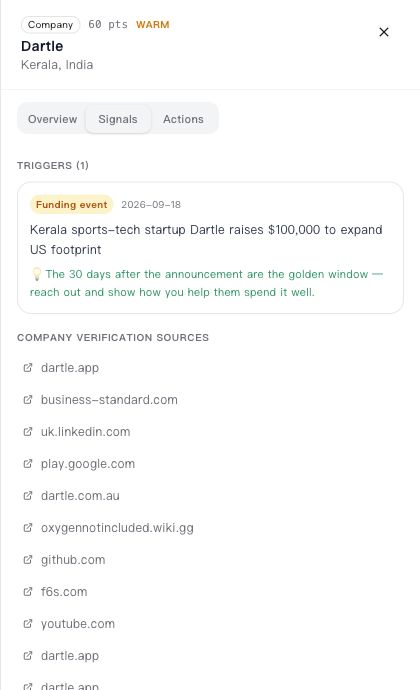 Click image for full resolution Step 3 — Open Expand details on a company card, then choose Signals. For Dartle, inspect the dated funding event and its Business Standard source. Ignore unrelated namesakes in the broader source list.
4. Ask for a bounded proposal
“Can we help with your marketing?” gives the recipient work to do. A proposal for one relevant output is easier to understand: a buyer guide, three researched account candidates or a first-contact example for a specific audience.
Prepare one English email for the selected company. Use a supported
observation, connect it to one small marketing output we can actually
deliver, and end with one easy question. Do not assume their internal
software, budget or current problems. Draft only; do not send.
For a company offering software to soccer academies, a small sample of academy outreach may fit better than a generic offer to write blog posts. The relevant value comes from the company's buyer situation, not from listing Afield's features.
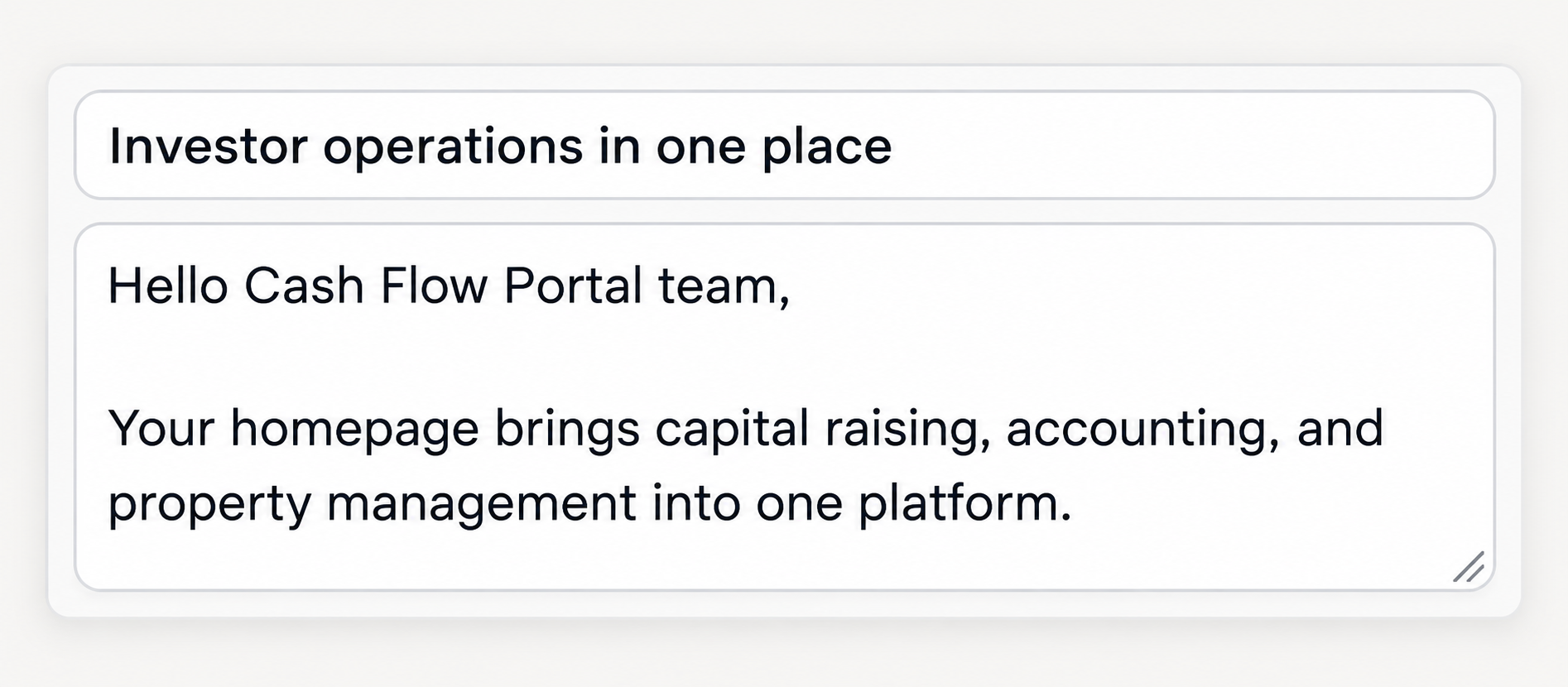 Click image for full resolution Step 4 — Review the editable subject and body. This is a separate Cash Flow Portal writing example, not a recipient from the three-company shortlist above. Contact addresses and account information are excluded from the screenshot.
5. Review the exact message and recipient
Read the full body in the editable draft card. Check the address, the observation, the proposed deliverable and the closing question. An official support address may be real while still being a poor route to a marketing buyer. A guessed address must remain labeled as a guess until verification supplies a result.
At the end, keep the company record, its source and the final draft together. The draft should still be editable when you reopen the task; check that before preparing the next company.
Try it: open Afield, provide your product brief and ask for five sourced companies before moving to outreach.