 Afield
1. Describe the companies in the chat
Open Afield and enter your request. Include geography, what the companies sell and any exclusions. For example:
Find 10 US B2B software companies with a customer onboarding product. Exclude consulting-only businesses. Include each website and explain why the company fits.Replace the example audience with your own. If you have already saved a business brief, tell Afield to use it.
2. Open a company result
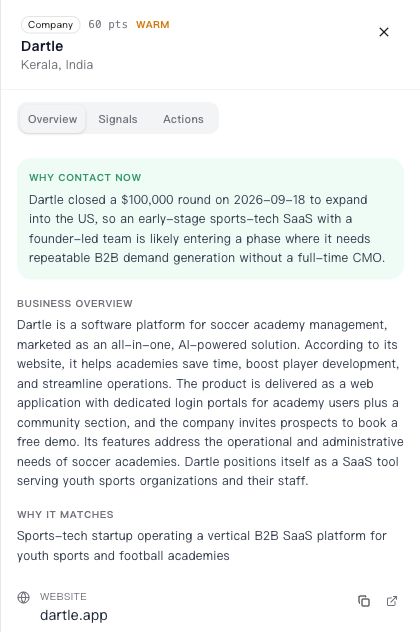
Read the business description and open its source. If the company violates the brief, say which rule it breaks: for example, “This is an implementation consultancy; keep software vendors only.” Apply that correction to the remaining results.
3. Choose the next action
Continue in the same conversation. Ask a focused question about the selected company, research a missing buying role, or prepare a message using its actual business context.
Keep this shortlist. For the three strongest matches, show the relevant
product line, source, reason to contact, contact readiness and next step.
Keep unresolved business models separate from confirmed matches.
A company may be useful for research even when an email is missing. For detailed role research, use the decision-maker guide.
4. Review the draft
Check the recipient, subject and message. Change any details that do not match your offer. Sending requires an available connected sender and the product’s confirmation step.
The Zoho mailbox example provides a test-message procedure and a hypothetical readback for interpreting the result. For help choosing which accounts belong on the list, use the exclusion-list example.
Correct the search using a rejected company
When a company does not fit, state the rule it violates and ask to apply that rule to the remaining results. For example: “This company only provides implementation consulting. Our campaign needs companies selling their own software to business customers. Keep unresolved mixed models separate.”
Do not ask for a larger list until the first examples reflect the distinction. The useful output is a shortlist with reasons you can inspect, not an impressive count. Download the blank shortlist-review sheet if you want to compare decisions outside the chat.