 Afield
In this article
A title rewrite begins with a question: what will the person who clicks this result receive? “The ultimate guide to customer onboarding” gives almost no answer. “Customer Data Import Checklist: 5 Checks Before Approval” names both a deliverable and the point at which someone needs it.
But the second title is only better if the page contains the checklist. Otherwise, a more specific headline makes the disappointment more specific too. Below are three complete editorial examples: a checklist, a comparison and a troubleshooting page. The examples show proposed copy, not measured CTR improvements.
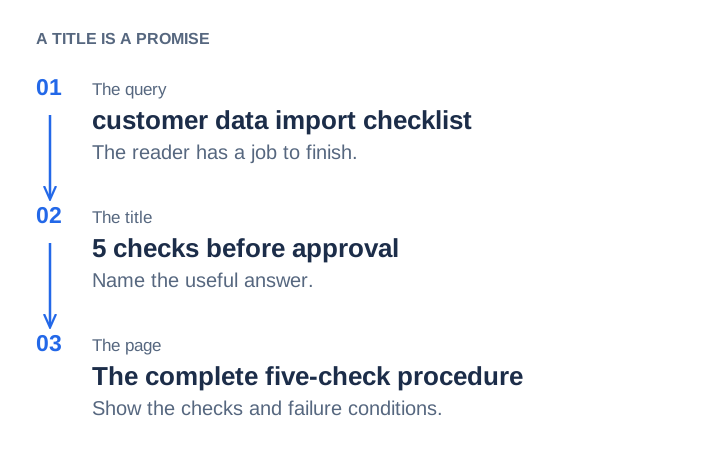
Example 1: replace an abstract promise with the actual checklist
Before: The Ultimate Guide to Seamless Customer Onboarding
After: Customer Data Import Checklist: 5 Checks Before Approval
Proposed description: Check required fields, sample records, duplicates, rejected rows and approval ownership before accepting a customer data import.
The old title might suit a broad introduction. The new one is for an administrator or implementation lead about to approve an import. They should reach the procedure immediately, without reading several paragraphs about why data matters.
Before approving a customer import, compare a small set of records with the source file. Include a blank optional field, a duplicate candidate and a record that should be rejected. Resolve the differences below before running the full batch.
| Check | What to inspect | What stops approval |
|---|---|---|
| Required fields | Match the agreed column names, identifiers and date formats to the destination fields. The implementation owner confirms the mapping. | A required value is missing, mapped to the wrong field or silently converted. |
| Sample records | Compare five selected source records with their imported versions, including one blank optional field. Record the expected and actual values. | A value changes without an agreed rule, or the imported record cannot be traced back to its source. |
| Duplicate handling | Use one record resembling an existing contact. Confirm the matching key and whether the importer skips, creates or updates. | A different person is overwritten, or the same person is created twice contrary to the agreed rule. |
| Rejected rows | Submit an intentionally invalid example in the test batch. Confirm where the error appears and how the corrected row is retried. | The row disappears without a retrievable error, or retrying repeats already accepted records. |
| Approval owner | Name the person accepting the checked batch. Save the file version, mapping and test outcome with that decision. | No one owns the remaining exceptions, or the approved file differs from the file queued for import. |
This is a sample checklist, so its test size and fields need adapting to the system being imported. The important editorial point is that all five promised checks are here, including what failure looks like. A paragraph saying “ensure data quality” would not fulfill the title.
Example 2: make a comparison help someone choose
Before: The Best CRM Integration Solution for Modern Teams
After: CRM Contact Import vs Two-Way Sync: Which Do You Need?
Proposed description: Compare a one-time contact import with an ongoing two-way sync, including update ownership, duplicates and the work each approach leaves to your team.
The page now owes the reader a decision, not a list of product adjectives. Consider a team moving an event attendee file into its CRM. If that file is a one-time snapshot, an import may finish the job. If account managers will keep editing contacts in both systems, the team needs an ongoing update policy. Calling the first operation a “sync” obscures work that remains.
| Question | One-time import | Two-way sync |
|---|---|---|
| What happens after the initial load? | Later changes require another import or manual edits. | The integration exchanges supported changes on its configured schedule. |
| Who wins when values disagree? | The import mapping and overwrite setting decide that batch. | You need a conflict rule, including which system owns each field. |
| What should the trial prove? | Correct mapping, duplicate handling and rejected-row recovery. | Those checks plus updates from both directions and the behavior of deletions. |
For the event snapshot, start by testing an import. For continuing edits in both systems, inspect the integration’s actual supported fields and conflict behavior. A product page should not advertise two-way sync unless the product supplies it.
Example 3: put the fault and repair into a troubleshooting result
Before: Unlock Better Attribution for Your Business
After: Newsletter Traffic Appearing as LinkedIn? Check the UTM Link
Proposed description: Find the campaign tag copied into the wrong placement, correct future newsletter links and annotate the traffic you cannot reliably separate.
The opening should show the mistake. In this example, a link prepared for a LinkedIn post was pasted into an email:
Incorrect newsletter link:
https://example.com/checklist?utm_source=linkedin&utm_medium=social&utm_campaign=import-checklist

Correct link for future email placements:
https://example.com/checklist?utm_source=newsletter&utm_medium=email&utm_campaign=import-checklist
Replace the newsletter link in the send template, test that it reaches the intended page, and record when the correction went live. If the old URL was used in both email and LinkedIn, its tags alone cannot tell you which placement produced an earlier visit. Do not rewrite the old report as if that distinction were known. The three-placement UTM example develops the reporting side.
Decide whether this is a title problem at all
Before editing, look at the queries associated with the page in Search Console. Someone searching for an import checklist may skip a generic onboarding title even at a useful position. Someone searching for enterprise migration software may correctly skip the checklist. The first case suggests clearer wording; the second may require a different page.
A practical review compares the query, title and first substantive section side by side. If the query asks for pricing and the page withholds prices, changing “Learn more” to “View pricing” does not fix the mismatch. If the page already answers the query well but its title is vague, a title rewrite is a smaller, more defensible change.
Publish a change you can evaluate
Keep a record of the old and new title, description, publication date and any body changes. Compare the same page and query group, with the same country and device filters. Include impressions, clicks and position in the review. A movement from position 30 to 8 changes the opportunity to get clicked; it should not be credited entirely to wording.
Google can assemble a title link from several page signals and may use a different title from the one you specify. It can also generate a query-specific snippet from body text instead of your description. Keep the HTML title, visible heading and article consistent. See Google’s title-link guidance and snippet documentation.
With only a handful of impressions, save the change and keep observing rather than declaring a winner. The worked CTR analysis shows how a different query mix can lower the overall rate even when established queries hold steady.