 Afield
In this article
Start with the image's job: explain one idea, show one product, or leave room for one campaign message. Afield can generate an image from text or work from an uploaded reference. The result is a viewable image asset in the conversation.
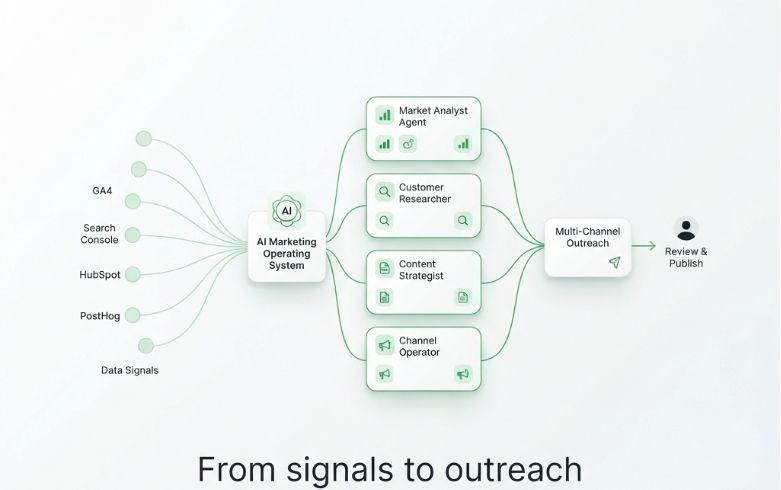
What this example does well—and what to change
The left-to-right flow gives the image a clear subject. The heading supplies one message. But the small labels are difficult to read at feed size, and some of the diagram's lines and lettering are soft. Use it to communicate the broad idea; use an actual screen capture to demonstrate a product feature.
A useful revision would simplify the diagram to three stages, enlarge the main message and remove small text. That is more actionable than “make it more premium.”
A creative brief you can reuse
Demo brief for a physical product. Attach your own product photograph before sending this request. It is a new example, not the brief that produced the image above.
Create a landscape campaign image using the attached component photo.
Audience: engineering teams evaluating machining suppliers.
Message: careful inspection of a finished component.
Composition: one component on the right, with an inspection instrument;
leave the left third clear for a headline we will add separately.
Keep: the reference part's shape, finish, colour and visible features.
Change: the background and lighting only.
Avoid: invented dimensions, certification marks, customer logos or text.
Return the finished image asset, not an image prompt.
In Afield, attach the reference to the message and describe the placement and intended aspect ratio. For a new abstract illustration, describe the subject instead. The reference matters most when the actual product geometry, packaging or branding needs to survive the edit.
Give the composition a job
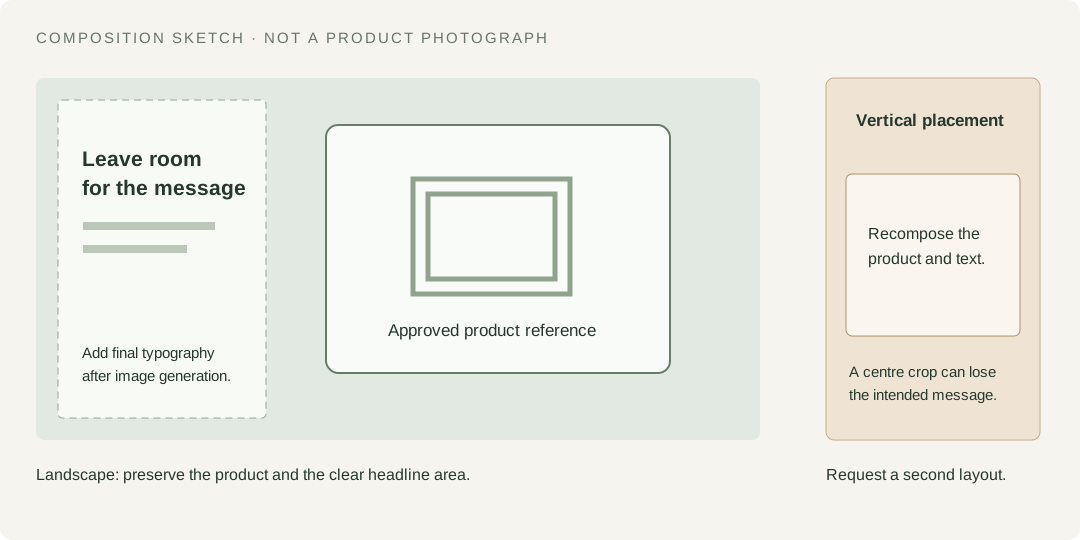
A landscape image and a vertical feed placement need different compositions. Do not assume that cropping the centre keeps both the product and the message. Ask for a separate vertical version, check the actual crop, and add precise typography in your design editor when the lettering matters.
Review once for meaning, once for accuracy
| Check | If it fails, request this correction |
|---|---|
| At the intended display size, is the subject obvious? | Remove secondary objects and enlarge the main subject. |
| Does the part match the reference? | Name the changed edge, hole, finish or label; retain the original reference. |
| Does the crop leave space for the caption? | Move the subject to the specified side while keeping the output orientation. |
| Is generated lettering unreliable? | Remove the lettering and add the final text in your design editor. |
Continue from the delivered image when requesting a revision, so Afield has the selected asset rather than a description of a new one. Open or download the final file before using it. If the task returns only text or an error, there is no finished image to publish.
A generated factory scene should be labeled as an illustration. To demonstrate your real production line or software interface, use a photograph or screen capture. Once the selected image works, it can become the reference for a short marketing video; publishing is a separate action.