 Afield
In this article
Semrush combines keyword and competitor data, technical audits and content tools. Afield turns a page question into research, proposed copy and a task to apply the change. The products overlap in audits and content work; the decision depends on the data and finished output you need.
Product details were checked against official documentation on 10 October 2026. FieldLog and its page edit below are fictional examples.
Match the question to the tool
| Question | Semrush’s documented tools | Afield’s relevant workflow |
|---|---|---|
| Which queries and competitors should we investigate? | Keyword Magic Tool supplies keyword ideas and keyword metrics; related search tools cover competitor analysis. | Review supplied research or connected Search Console data. This is not an equivalent independent keyword database. |
| What technical issues does the site have? | Site Audit crawls websites and reports technical/on-page issues. | A URL audit returns findings and evidence, followed by a proposed fix. |
| How is our existing page performing? | Organic Traffic Insights combines Semrush, Google Analytics and Search Console data. | Read a defined Search Console or analytics report for an accessible connected property. |
| What exact edit should we make? | Content Toolkit includes topic research, briefs, article generation, optimization and repurposing in a chat-and-board interface. | Produce and review replacement copy; use the appropriate publishing or GitHub process for the site. |
Sources: Keyword Magic Tool, Site Audit, Organic Traffic Insights and Content Toolkit.
From a finding to the exact replacement
FieldLog lets a technician attach photos to a job, select a room and add a note. An office reviewer opens the shared job record. The page needs to explain that handover.
| Demo input | Completed finding |
|---|---|
| Relevant query group | Organizing restoration-job photos for an office review. |
| Irrelevant group to separate | People looking for pictures of damaged rooms, without a workflow need. |
| Current opening | “Transform your restoration business with an all-in-one platform built for modern teams.” |
| Missing answer | How a technician connects the image to the job and how the office checks it. |
| Edit | Replace the generic opening with the workflow below; retain the existing URL. |
Organize restoration photos by job and room
Attach the site photo to the job, select the room and add a short note describing what the image shows. The office reviewer can then open the shared job record and read the photo beside its room and observation.
For example, attach a water-damage photo to Job 204, choose “Kitchen,” and note “Staining below the sink; cause not yet confirmed.” The reviewer sees where the image belongs and what remains to investigate, without reconstructing the visit from a camera roll.
The replacement answers who attaches the photo, where it belongs and what the reviewer reads. Those details give a prospective customer something to compare with their current camera-roll handover.
From approved copy to the live page
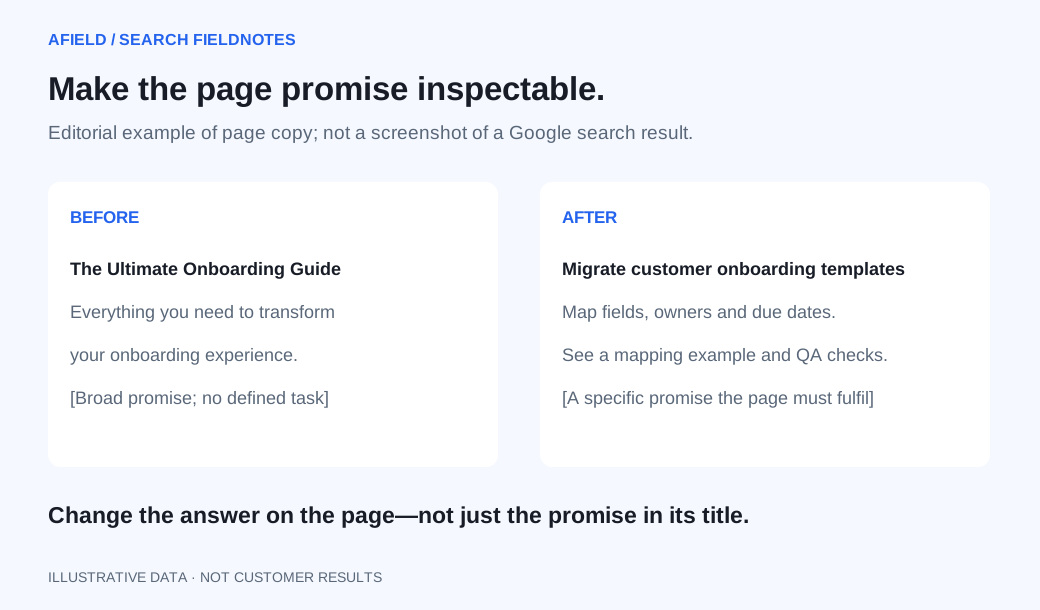
Keep the existing URL and replace its opening through your publishing process. Afield can prepare the change; a GitHub pull request still needs to be merged and deployed. After publication, compare the same restoration-workflow query group over matching periods. Searches for damage photographs belong outside that group.
Choose the owner of each recurring job
Semrush fits the SEO specialist who needs a maintained search dataset and technical crawler. If you already subscribe to Semrush, check whether Content Toolkit covers the required edit before adding another writing tool. Afield’s audit-to-fix workflow fits a founder doing page corrections alongside customer research and other marketing assignments. A team can use both: preserve the research finding and hand off the exact page edit, rather than purchasing two reports with no editor responsible.
For the diagnosis before rewriting, use the query-mix walkthrough. For data access, use the Search Console setup.